REVIEW · SEOUL
Incheon Airport: Traveler SIM & T-money Transportation Card
Book on GetYourGuide →Operated by Roaming Star Inc · Bookable on GetYourGuide
Leaving Incheon gets easier with instant connectivity. This stop is interesting because it bundles two airport headaches into one quick desk visit: 4G LTE data plus a ready-to-use public transport card. You pick everything up right after you land, then you can message home, check maps, and hop on transit without waiting.
I like the SIM activation help most. The staff at the LG U+ counter installs/activates the card and confirms your phone actually connects to data, so you are not stuck fiddling with settings while jet-lagged. The other big win is the included T-money card, which you can charge and use for subways, buses, convenience store purchases, and even certified taxis that accept the card. One thing to plan for: the transportation card needs charging first, and recharge options can be cash-based depending on where you top up, so arrive with some won or be ready to find a machine that works for you.
In This Review
- Quick hits
- Finding the Right Counter Fast at Incheon (LG U+ gates and what to expect)
- What You Actually Receive: Unlimited 4G LTE, hotspot, and T-money
- The Counter Moment: How the staff help you get data right away
- First-Day Logistics: Charging T-money and how to avoid a stuck moment
- Price and value: Why $12 can make sense for short and long trips
- Phone compatibility and setup rules you should check before you go
- How long it lasts: Choosing 3 days through 2 months without overbuying
- Who this experience fits best (and who might want a backup plan)
- Should you book this Incheon SIM and T-money pickup?
- FAQ
- Where do I pick up the SIM and T-money card at Incheon Airport?
- What does the SIM include?
- Does the T-money card work right away?
- What phone do I need for this to work smoothly?
- If I have an iPhone 14 from the US, is there anything special?
- Can I get a refund if my plans change?
Quick hits
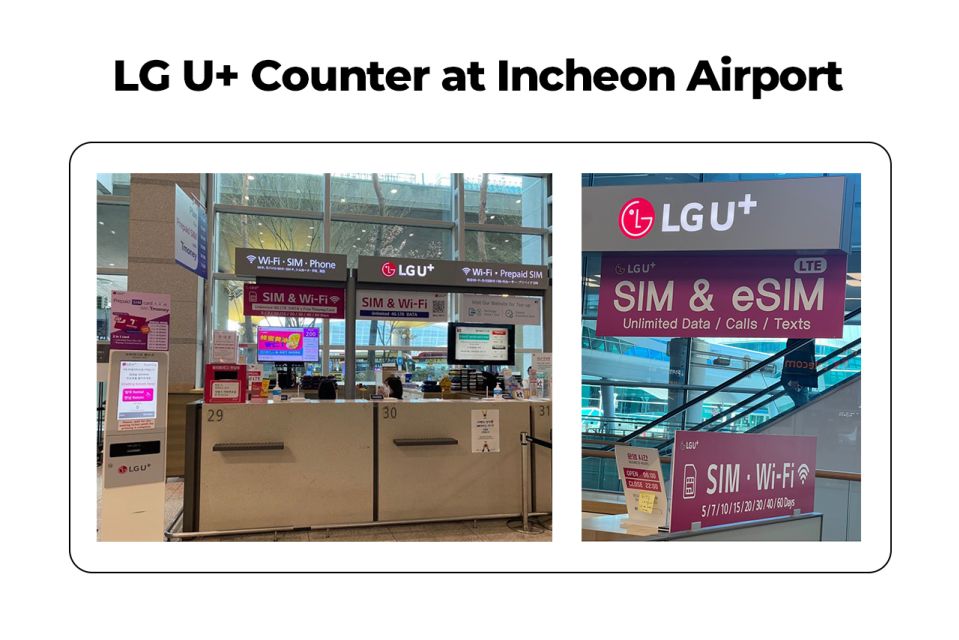
- Pick up at LG U+ counters in Incheon: Terminal 1 Gate A (often less busy) or Terminal 2 (Gate F area).
- Unlimited 4G LTE + hotspot included, so you can keep devices connected.
- Staff-assisted setup: they check that your phone gets data right away.
- One card setup for transit: you get the T-money card and can use it after you top it up.
- Phone compatibility matters: US/Canada/Japan/Philippines phones must be compatible for a new SIM (and iPhone 14 US models use eSIM only).
Finding the Right Counter Fast at Incheon (LG U+ gates and what to expect)
This experience is basically a “go to the desk, get set up, leave online” service—and the fastest version is all about where you walk when you exit customs.
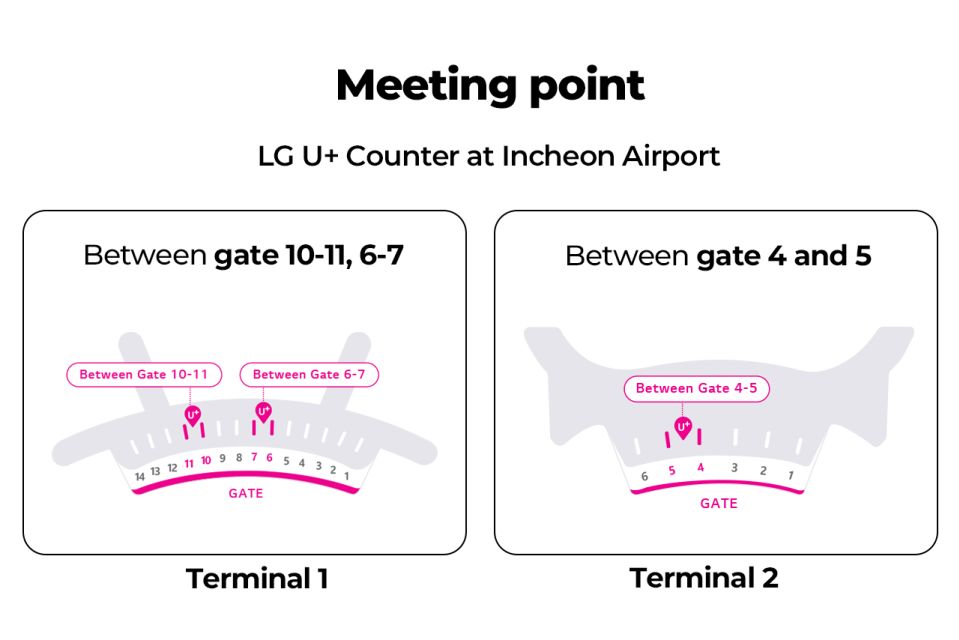
At Incheon, you are looking for the LG U+ counter. The recommended pick-up point is Terminal 1, Gate A, which tends to be easier to work through. If you are arriving through Terminal 2, the counter area is listed as Gate F, with Gate 3–4 or Gate 4–5 referenced nearby, depending on how you move through the terminal.
What helps here is how clearly it is signposted. Multiple people noted it is easy to find in the arrivals hall once you have cleared customs because there are big signs pointing toward eSIMs and roaming cards. That matters: airports are chaotic, and a service that is physically hard to locate turns a quick task into a long one.
Timing-wise, don’t overthink it. The service includes options for trips from 3 days up to 2 months, so you are not tied to one exact itinerary. In practice, the process at the counter is short when lines move well, with people reporting setups in just a few minutes.
You can also read our reviews of more tours and experiences in Seoul

What You Actually Receive: Unlimited 4G LTE, hotspot, and T-money
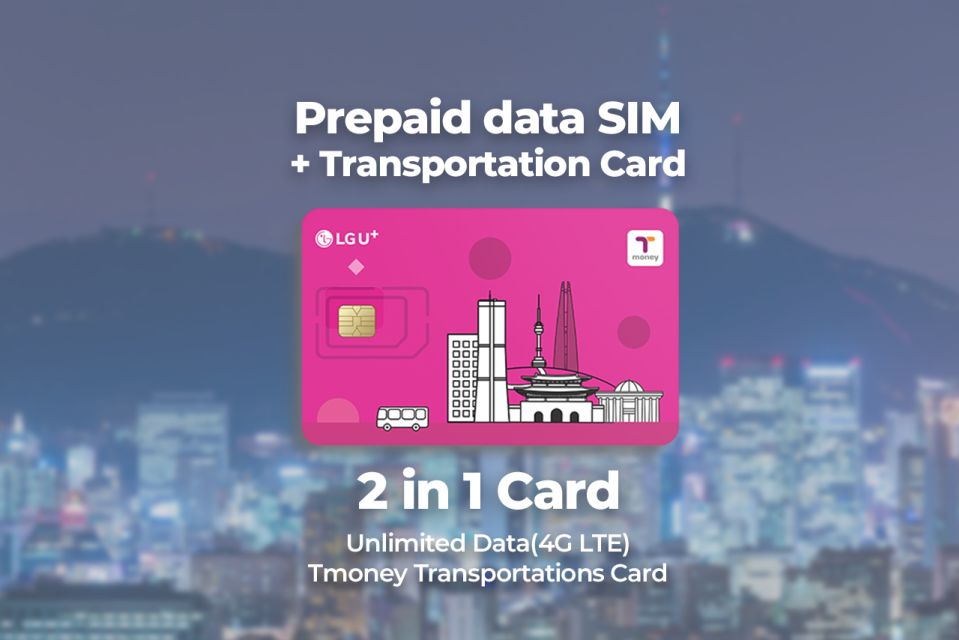
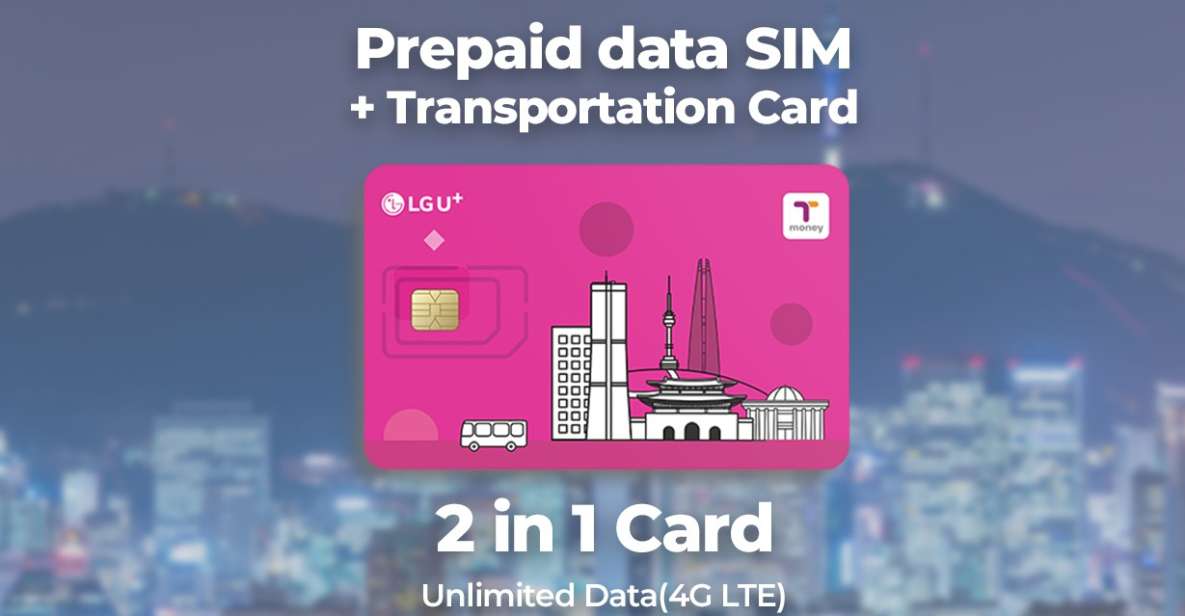
This setup is not just a SIM card. You are also getting a public transportation card package.
Here is what is included:
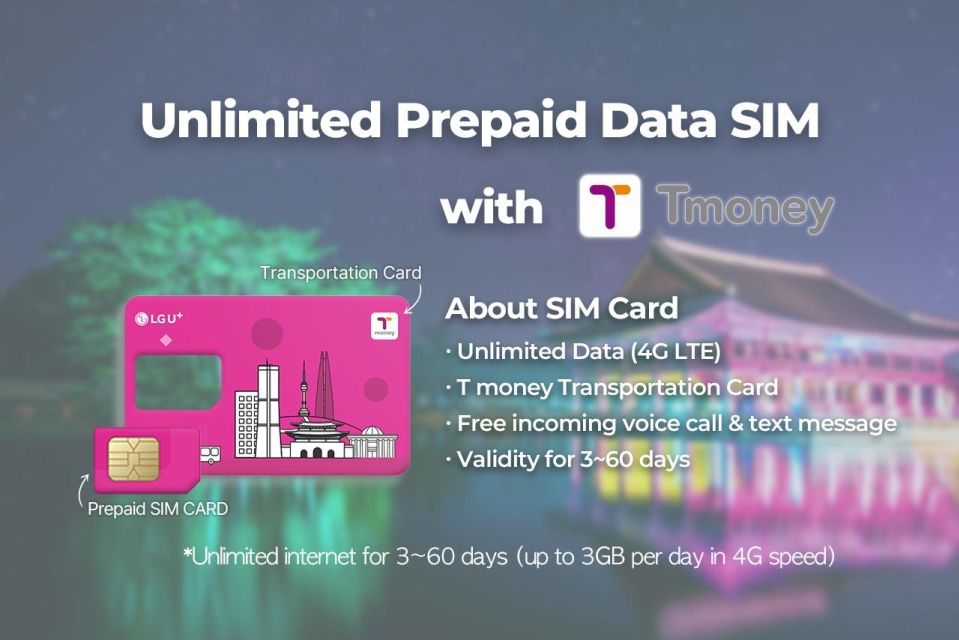
- Data SIM card with unlimited 4G LTE data (nano/micro/normal).
- Hotspot usage included.
- Incoming calls and text messages included.
- A T-money public transportation card (it must be charged).
And the T-money part is not limited to trains. Once charged, you can use it for:
- Subways and buses
- Purchases at convenience stores
- Certified taxis that accept the card
That combination is practical. A lot of first-timers in Korea can handle transit if they have a card, but they struggle with the “pre-transit” phase—figuring out where to go, reading station signs, and mapping routes from the airport. Unlimited data plus a transit card removes that friction.
One small caution: outgoing calls and outgoing texts are not included. If you are the type who still calls or texts instead of using apps like KakaoTalk/WhatsApp, keep that in mind. Most people in Korea rely on data for messaging anyway, but you should match the plan to how you actually communicate.
The Counter Moment: How the staff help you get data right away
The biggest reason this experience gets strong marks is simple: you do not arrive, buy a card, and then hope your phone cooperates. You hand your phone to someone at the LG U+ counter, and they help you get to a working state.
What that looks like on the ground:
- You take a number and wait your turn if there is a line.
- The staff activate the SIM/eSIM setup and install the card where needed.
- They help confirm your phone connects to data before you walk away.
That check is a big deal. Korea’s transit system is straightforward once you can read things on your screen, and it gets frustrating fast if your phone shows bars but no data. People also reported the counter staff swap the SIM for you and will wait while you test that everything is working.
You will also get the T-money card in the same overall pickup experience. For many travelers, that means the first time you leave the airport, you are already holding the card you need to enter the transit flow.
First-Day Logistics: Charging T-money and how to avoid a stuck moment
Here is the part you should not leave to chance: the T-money card needs charging before use.
Even if you have the card in hand, you cannot swipe into subways or buses until it has a balance. In addition, a key detail from real-world notes is that recharge can be cash-first. One person specifically pointed out that you cannot recharge with a credit card at the machine they tried. Another mentioned they could top up at the airport machine and, if not, they had to use convenience stores.
So, what should you do to stay calm on day one?
- When you get the card, plan your top-up immediately—don’t assume you will figure it out later.
- Have some won ready if you can. Cash isn’t always the only option, but it reduces stress if a machine only accepts certain payment types.
- If you are moving from the airport to the city, you can usually find top-up options at convenient spots like transit stations or convenience stores. (The important takeaway: topping up is part of the rhythm.)
Once charged, the T-money card becomes your “tap and go” tool. That includes convenience store purchases and certified taxis that accept card payment.
Price and value: Why $12 can make sense for short and long trips
The listed price is $12 per person, with the coverage window stretching from 3 days to 2 months depending on what you select.
Why this can be good value:
- You are paying for unlimited 4G LTE data (plus hotspot) without needing to troubleshoot post-purchase.
- You get a transit card right away, which saves you from hunting for a card machine or figuring out how to buy a local transport option on your first day.
- The staff help you verify your phone is actually online. That small time-saver adds up, especially right after landing.
Is $12 always the cheapest possible route? Sometimes you might find promotions or other airport kiosk deals. But for most first-time arrivals, the real value is not only price—it is reducing uncertainty. When your phone is online and transit is ready, your Korea plan starts faster.






Phone compatibility and setup rules you should check before you go
This is where you want to do a quick sanity check before you arrive, because the counter can help, but it cannot fix a phone that is not compatible.
Key know-before-you-go points:
- Your phone needs to be fully compatible for a new SIM. The guidance specifically calls out phones from the United States, Canada, Japan, or the Philippines. If your carrier locks the SIM, you will have problems.
- iPhone 14 models purchased in the United States don’t have a physical SIM tray and support only eSIM. If you are traveling with an affected iPhone, treat this as an eSIM situation from the start.
Also note:
- The experience includes data service and T-money, but it does not mention identity verification service.
- There is a limit: maximum purchases per passport is 3.
If you match your phone to these requirements before pickup, the counter experience tends to be quick and smooth.
How long it lasts: Choosing 3 days through 2 months without overbuying
You get multiple duration options, from 3 days up to 2 months. The practical trick is to choose a duration that matches your actual time in Korea.
- If you are on a short city trip, 3–7 days is often enough to handle airport-to-city transit and daily navigation needs.
- If you are staying longer, the higher-duration options reduce the hassle of swapping SIM arrangements mid-trip.
Also, because you can use hotspot, long stays become easier for people who have laptops, tablets, or multiple phones they need online.
Who this experience fits best (and who might want a backup plan)
This is a strong fit if you want an airport solution that covers the two biggest needs on arrival: internet and getting around.
It is especially useful for:
- First-time visitors to Korea who do not want to figure out transit cards on day one.
- People who rely on Google Maps-like navigation and need data immediately.
- Families or small groups who want everyone online quickly (since pickup happens at the counter).
A backup plan is smart if:
- You rely heavily on outgoing calls/text messaging (outgoing is not included).
- You prefer paying everything by credit card. Recharge for the T-money card can involve cash machines depending on where you top up.
Should you book this Incheon SIM and T-money pickup?
Book it if you want a simple “arrive, get online, and tap into transit” start. The main reason to choose it is the staff-assisted activation that checks your data connection, plus having a T-money card right away so you are not stuck at a station trying to solve payment and setup while you are tired.
Skip it or plan carefully if your phone situation is unclear (carrier lock or eSIM-only iPhone 14 US model), or if you absolutely want a credit-card-only recharge flow for transit.
If your phone is compatible and you can top up the T-money card when you arrive, this is one of those airport add-ons that pays you back in hours, not days. You walk out already ready to move.
FAQ
Where do I pick up the SIM and T-money card at Incheon Airport?
You pick it up at the LG U+ counter at Incheon Airport. Terminal 1 Gate A is recommended as less busy, or Terminal 2 at Gate F (near Gate 3–4 or Gate 4–5).
What does the SIM include?
The package includes an unlimited 4G LTE data SIM, hotspot usage, incoming calls and text messages.
Does the T-money card work right away?
No. The T-money card needs to be charged before you use it for subways, buses, convenience store purchases, or certified taxis that accept the card.
What phone do I need for this to work smoothly?
Make sure your phone is completely unlocked for use with a new carrier/SIM, especially if your phone is from the United States, Canada, Japan, or the Philippines.
If I have an iPhone 14 from the US, is there anything special?
Yes. iPhone 14 models purchased in the United States don’t have a physical SIM tray and support only eSIM.
Can I get a refund if my plans change?
Yes. There is free cancellation up to 24 hours in advance for a full refund.